
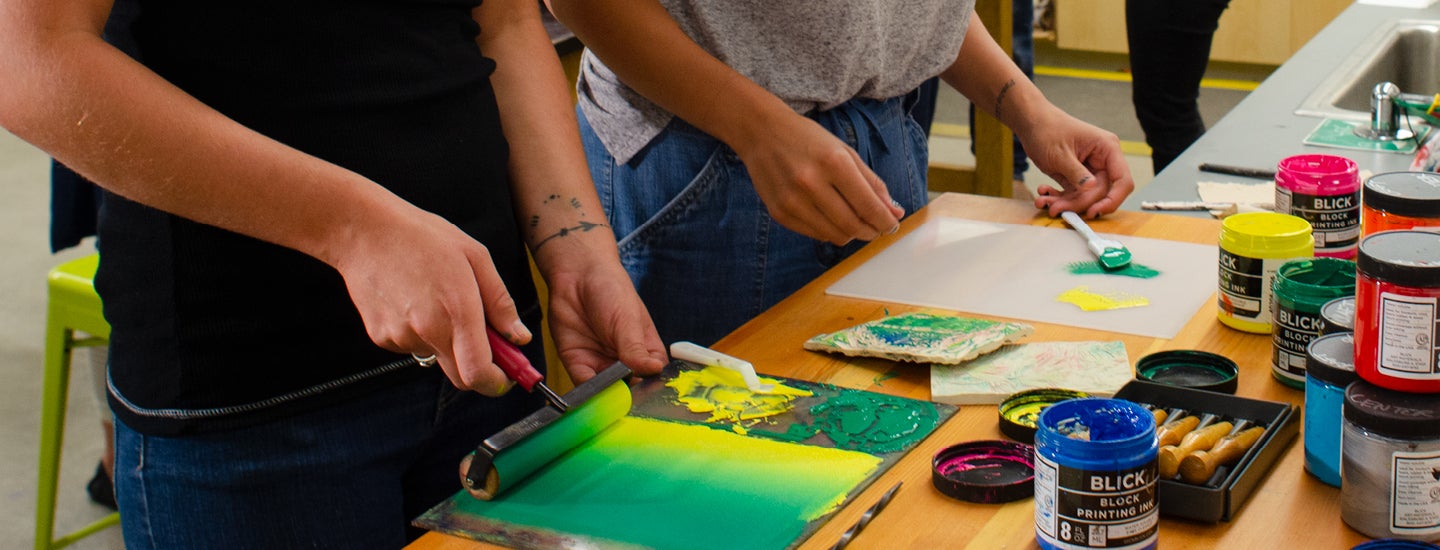
Printmaking
Screen print your own designs, practice your carving skills with wood block printing, even try photo emulsion. The Craft Center has all the resources you need for any printmaking project. This is a great way for graphic designers to practice bringing their work into the physical realm. If you’re unsure how to use a resource just check our workshops for a class to get you started.
Tools Available
- Screen printing equipment
- Photo emulsion exposure unit
- Screens for use
- Large sink for washout
- Block carving tools
- Brayers
Printmaking Studio Hours
Oct. 19 –25
- M Noon–9:00 p.m.
- T Noon–9:00 p.m.
- W 1:00–4:00 p.m.
- Th Closed
- F Closed
- Sa Noon–5:00 p.m.
- Su Closed
Oct. 26 –Nov. 1
- M Noon–9:00 p.m.
- T Noon–9:00 p.m.
- W Noon–4:00 p.m.
- Th Noon–9:00 p.m.
- F Closed
- Sa Noon–5:00 p.m.
- Su Closed
Nov. 2 –8
- M Noon–5:00 p.m.
- T Noon–9:00 p.m.
- W Noon–9:00 p.m.
- Th Closed
- F Closed
- Sa Noon–5:00 p.m.
- Su Closed
Printmaking Studio Orientation Information
Studio Orientations
Please visit the Craft Center home page to view registration dates for orientations including Printmaking Orientations (Screen Printing and Relief). To register, visit myemu.uoregon.edu.
You must have previous experience to take a Printmaking Orientation.
For screen printing, that experience must include the following:
- Understanding of preparing and exposing screens.
- Ability to mix and apply ink evenly.
- Knowledge of proper screen-cleaning techniques.
- Familiarity with registering designs.
For relief, that experience must include the following:
- Proficiency in carving linoleum or wood blocks safely.
- Knowledge of inking techniques and proper ink consistency.
- Familiarity with using a press or hand-burnishing tools.
- Ability to register prints.
Printmaking Studio Policies
Orientation Required: First-time users need to complete a studio orientation to review tools, safety, and cleanup procedures.
Safety: Hearing protection is available in the Printmaking Studio and for checkout at the front desk. Aprons are available in the studio.
Materials & Equipment: You must supply your own screen and blocks outside of a workshop. Emulsion and ink is available to use in the studio.
Do not change the exposure times on the exposure unit without talking to a Studio Assistant first.
Remove all tape when washing out screens in the washout booth.
The t-shirt press and the heat press are for staff use only.
Transparencies needed for exposing photo emulsion are not available to be printed at the Craft Center outside of workshops.
Respect Shared Space: Noise should be kept low; use headphones if listening to music. Do not move other people's items without the help of a Craft Center employee.
Clean Your Workspace: Users are responsible for cleaning any materials and surfaces they use, disposing of trash in designated bins, and leaving the space ready for others.
Drying and Storage: Artwork can be left to dry on designated racks, but must be labeled with a Project Storage Card and removed or given an updated Project Storage Card every two-weeks. Items left without an updated Project Storage Card will be recycled.
End of Term Clean Up: All stored projects and/or materials, even if labeled, must be removed by end of day of Friday during Week Ten of the current term. Studio clean out will happen during Finals Week of the current term. All stored projects and/or materials left behind will be recycled.
No Food or Drink: For safety reasons, no food or drink is allowed in the studio. Lidded containers are fine.
Closed-Toe Shoes: The Craft Center requires closed-toe shoes to be worn in every studio. If you do not have proper footwear, you will be turned away.